
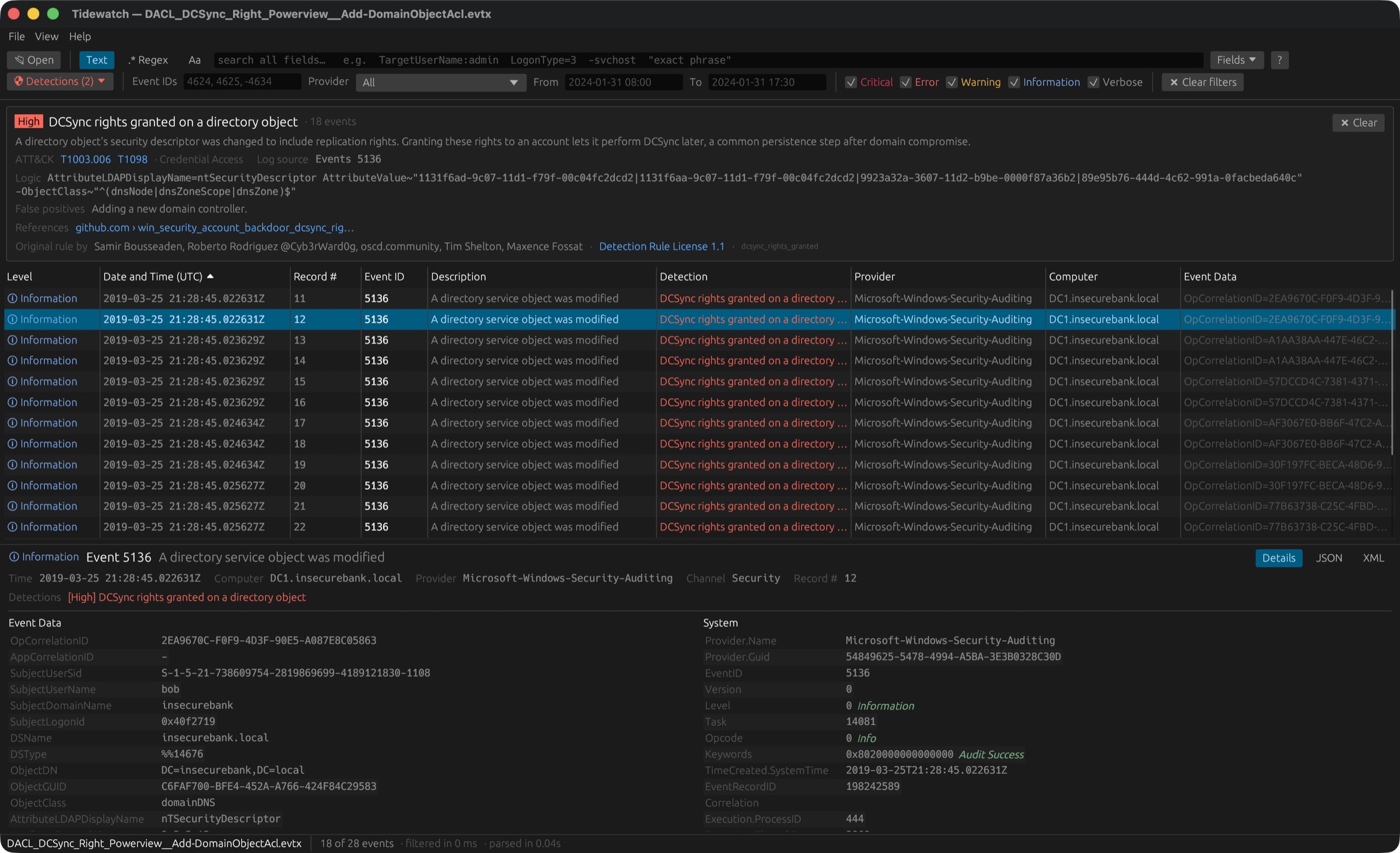
Built for responders who live on a Mac
No Windows VM, no Event Viewer, nothing to install besides the app. Drop in a log pulled from a Windows machine and start hunting.
Fast on huge logs
Parses in parallel on every core and searches 5 million events in about 40 ms. Rows appear while the file is still loading.
Search like an analyst
Plain text, phrases, exclusions, field filters like LogonType=3, regex, and match highlighting.
Detections built in
49 curated rules for credential theft, defense evasion and lateral movement, each explained with false positives and sources.
Run the Sigma library
Import the community Sigma rules folder and run about 2,400 Windows detections over a log in under a second.
Readable without Windows
Built-in event descriptions and decoded values: logon types, Kerberos encryption, failure codes, well-known SIDs.
Nothing hidden
Every System, EventData and UserData field, plus raw JSON and XML. Export what you filtered to CSV or JSON Lines.
Find the needle, then see why it matters
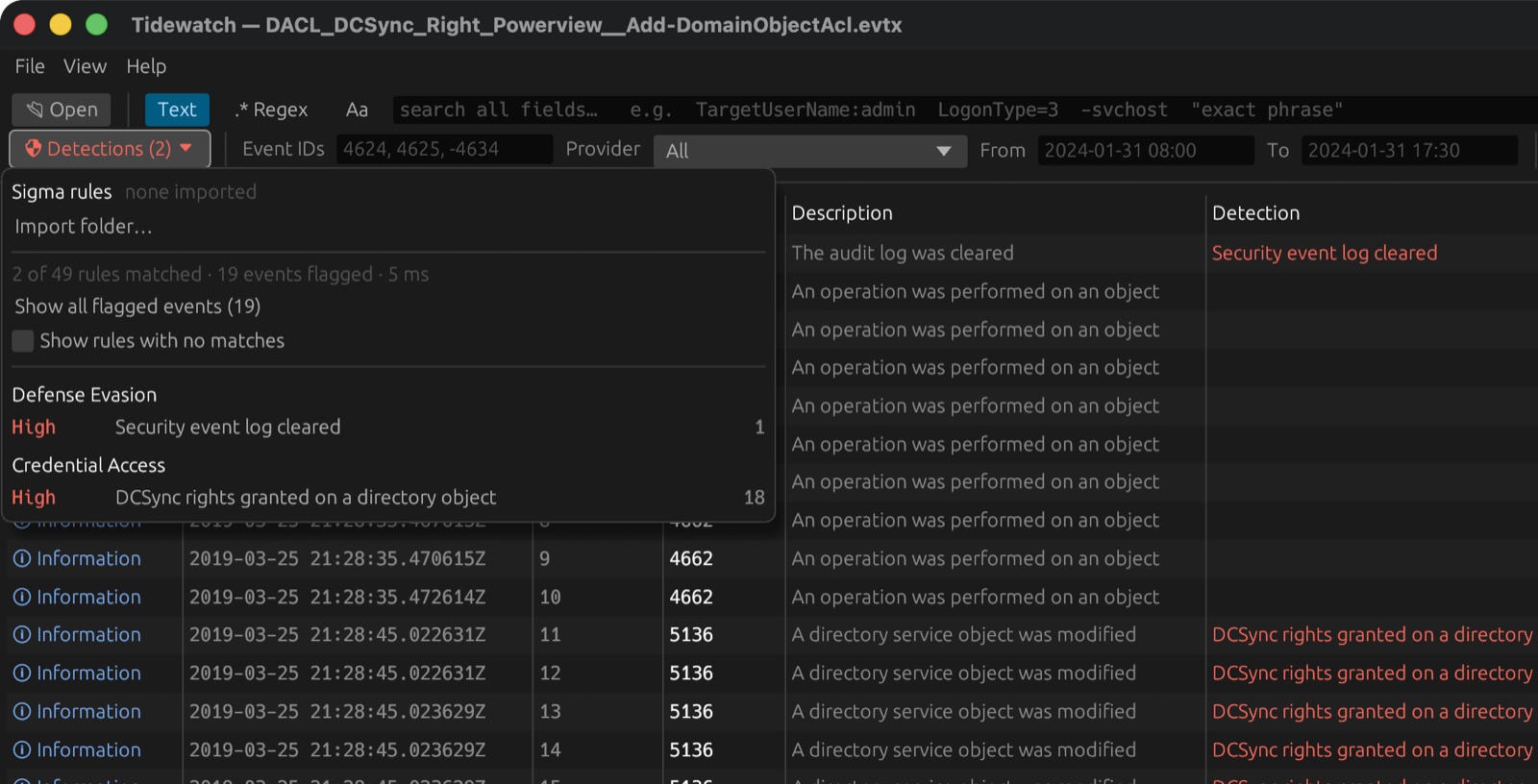
Open the Detections menu to see every rule that matched, grouped by MITRE ATT&CK tactic and colored by severity. Pick one to filter the log to its hits.
- Credential access: Kerberoasting, AS-REP roasting, password spraying, DCSync, LSASS access
- Defense evasion: cleared logs, disabled auditing, Defender and firewall tampering, AMSI bypass
- Lateral movement: PsExec and Impacket, pass-the-hash, RDP tunnelling, admin-share abuse
- Thresholds that match real tooling: e.g. more than 10 accounts failing from one IP in 24 hours
- Credit where it's due: rules adapted from Sigma and Hayabusa show their original authors
Five million events, measured
We loaded a 3.9 GB log with 5,039,642 events into Tidewatch and timed every step. Search stays interactive and every detection rule runs in under a second.
(3.9 GB)
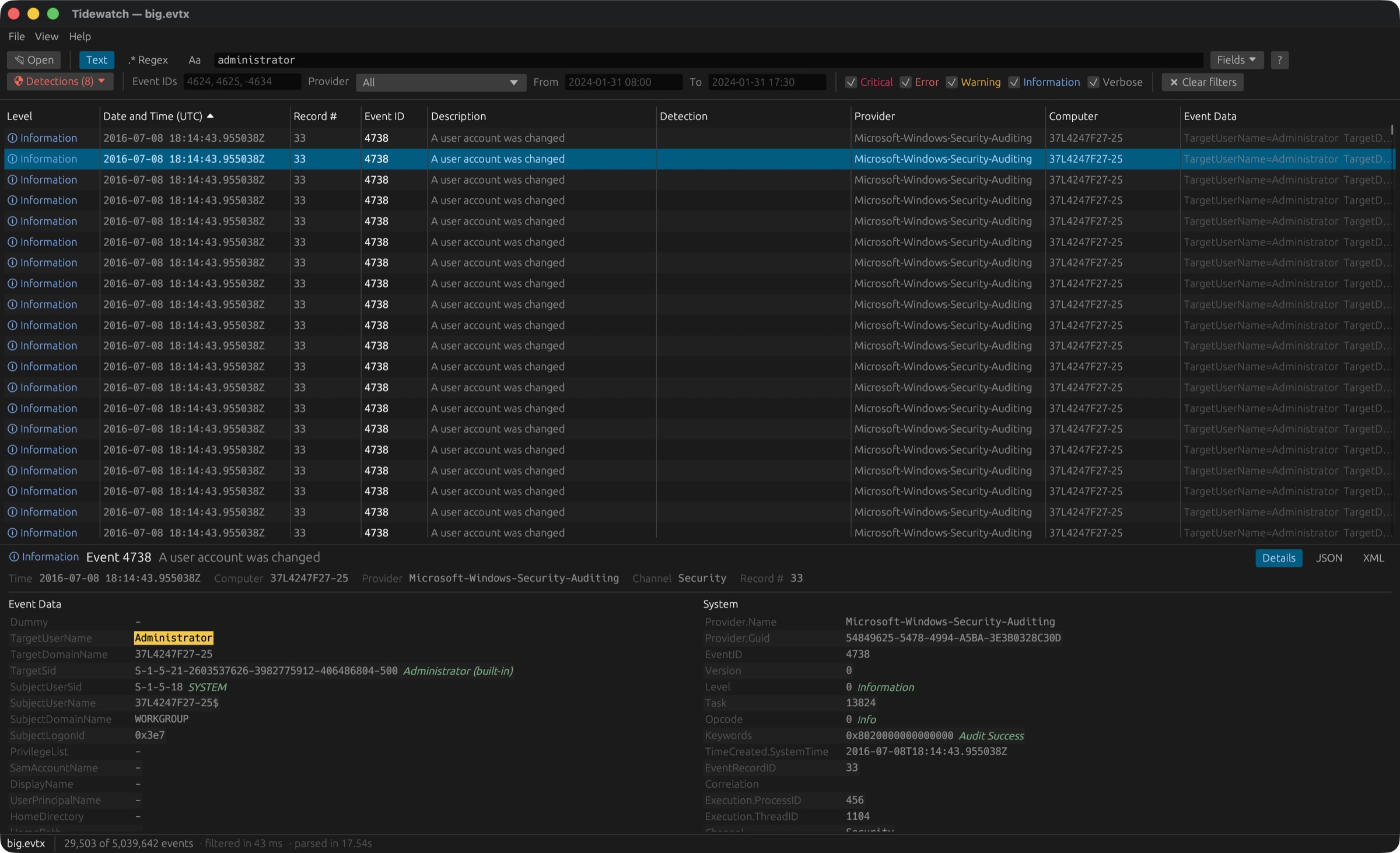
The status bar tells the story: 29,503 matches found among 5,039,642 events in 43 ms, after parsing the file in 17.5 seconds.
| Open the file (parse every event, build the search index) | 15.5 s in the engine · 17.5–18.3 s in the app · about 250 MB/s |
| First events on screen | 31 ms |
Search: word administrator | 43 ms · 29,503 hits |
Search: field TargetUserName:admin | 40 ms · 20,457 hits |
Search: combined id=4624 LogonType=2 -TargetUserName~"\$$" | 49 ms · 186,800 hits |
Search: regex ^SubjectUserName=.*\$$ | 185 ms · 3,412,454 hits |
| Sort all events by time | 133 ms |
| Run 49 built-in detections | 0.41 s |
| Run 2,452 detections (built-in + full Sigma library) | 0.95 s |
| Peak memory | 15.4 GB (about 3 KB per event) |
A query language made for event logs
Type in the search box; every term must match. Field names work with or without their full path.
mimikatz | Any field contains the word |
"logon type" -svchost | Exact phrase, excluding events that mention svchost |
id=4769 TicketEncryptionType=rc4-hmac | Kerberos service tickets using RC4 (decoded values work too) |
id=4624 LogonType=10 -IpAddress~"^10\." | RDP logons from outside 10.0.0.0/8 |
process~"\\powershell\.exe$" CommandLine:-enc | Encoded PowerShell in Sysmon or Security process events |
Install in a minute
One command. No Rust, Homebrew or build tools needed, and no security prompts.
- Open Terminal (press ⌘ Space, type Terminal, press Return).
- Paste this and press Return:
curl -fsSL https://nyanites.github.io/tidewatch/install.sh | bash - Open Tidewatch from Launchpad or Applications, or double-click any
.evtxfile.
Frequently asked questions
How do I open an EVTX file on a Mac?
macOS can't open Windows .evtx event logs on its own. Install Tidewatch, then double-click any .evtx file or drag it onto the Tidewatch window. It reads Security, System, Application, Sysmon, PowerShell and any other Windows event log natively, with no Windows VM.
Is there a Windows Event Viewer for Mac?
Microsoft's Event Viewer only runs on Windows. Tidewatch is a native macOS alternative: it shows every event and field like Event Viewer, and adds fast search, threat detections and Sigma rules.
Can Tidewatch handle very large event logs?
Yes. In our benchmark a 3.9 GB log with 5,039,642 events opened in 18 seconds, every search took about 40 ms, and 2,452 detection rules ran in under a second on an Apple M4 Pro.
Does Tidewatch support Sigma rules?
Yes. Point it at a folder of Sigma rules, such as the SigmaHQ repository, and about 2,400 Windows detections run alongside the 49 built-in rules, mapped to MITRE ATT&CK.
Does Tidewatch upload my logs anywhere?
No. Everything runs locally on your Mac: no uploads, no telemetry and no account. The source code is public on GitHub so you can verify it. The only network request Tidewatch makes is a once-a-day check of GitHub for a newer version, which sends nothing about you or your logs and can be turned off.
Is Tidewatch free?
Tidewatch is free for small teams: organizations with fewer than 100 people and under US$1M in revenue, under the PolyForm Small Business License. Larger organizations need a commercial license.
Does Tidewatch run on Windows or Linux?
Tidewatch runs on macOS 11 or newer, on Apple Silicon and Intel Macs. A Windows version is coming soon.
Source-available, free for small teams
Tidewatch is published under the PolyForm Small Business License 1.0.0. The full source is on GitHub.
Free
For organizations with fewer than 100 people and under US$1M in annual revenue (2019 dollars, inflation-adjusted).
Commercial license
Larger organizations need a commercial license. Get in touch for terms.
Detection rules
Rules adapted from Sigma and Hayabusa stay under the Detection Rule License 1.1 with credit to their authors.